To enter advanced template options click Manage Templates

Screen changes to Advanced View with Template List

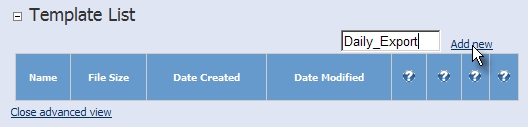
To add new template enter template name (it should represent the task that it is used for) and click Ad New
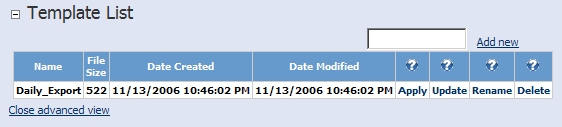
Template will be added and appears on the list. It can be now saved, renamed, deleted or applied.
To return to simple view click Close Advanced View
You can now select the requested template from the drop down box.
