Installation
| 1. | As with any module installation make sure that you back up your database before installing, |
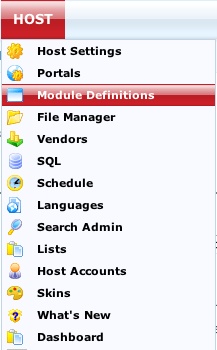
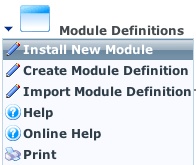
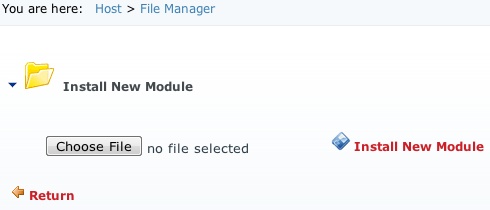
| 2. | Install the module as standard Private Assembly (Host --> Module Definitions -->Upload New Module), |
| 3. | Add new Tab named "MMSProHelper" - make sure that the tab name is exactly matching ! |
| 4. | Set tab permissions to "All Users" --> View |
| 5. | Check the Advanced Settings --> Hidden checkbox setting Tab as hidden. |
| 6. | Add DNNMasters_MMSProHelper module to this Tab. This is helper module needed by Scheduler. You will not need to visit this page and there are no more settings there. |
| 7. | Make a Tab for DNNmasters Membership Management Suite Pro and set permissions as needed. If you plan to use Module Level Security Provider options, please grant View permissions to the Tab for all roles that will be granted module access. |
| 8. | Add DNNMasters_MMS_Pro module to this tab and if you plan to use Module Level Security Provider options grant View and Edit permissions to the Tab for all roles that will be granted module access. |
| 9. | Open Security Editor from Module Actions, select Tab and module. |
| 10. | Select Database Based (default) and grant module actions permissions as needed. You MUST set permissions if you want to use any account other than Super User (Host Account). If you don't, you will see an empty interface without management options, as access to them will be denied. |
| 11. | Click Save and return to the module Tab. |
| 12. | Now you can use the module. |