The Permissions tab shows initial screen where you need to select tab and the module to set permissions.
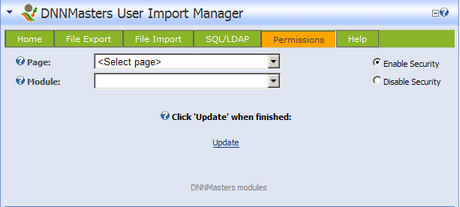
After selecting Tab and module detailed options appear

All boxes are cleared with a fresh install.
The following is how the Permissions Editor should look if users with Administrative permissions are allowed to view and edit this module:

ATTENTION!
Administrators are allowed to give themselves permission.