IMPORTANT NOTICE
Please turn the DotNetNuke "Friendly URL" feature Off.
Installation
| 1. | As with any module installation make sure that you back up your database before installing, |
| 2. | Turn off the DotNetNuke "Friendly URL" feature by going to Host Settings --> Advanced Settings --> Friendly Url Settings and un-checking the "Use Friendly Urls?" box. |
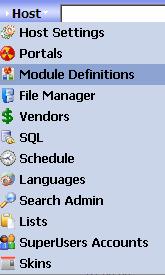
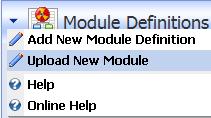
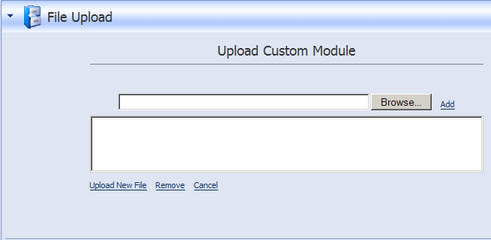
| 3. | Install the module as standard Private Assembly (Host --> Module Definitions -->Upload New Module), |
| 4. | Make a backup copy of the web.config file, |
| 5. | Open web.config file and add following entry: |
around line 50 and after the entry:
<!-- HttpModules for Common Functionality -->
<httpModules>
add the line:
<add name="DNNMastersSEORewrite" type="DNNMasters.SEO.Rewrite.RewriteUrl,DNNMasters.SEO.Rewrite" />
As of version 2.1.0 of the module you can make this change directly from the module options !
| 6. | If you decide to use an extension different from .aspx you will have to make changes to Internet Information Services (IIS) server configuration. As an example let's assume that you want .htm as your extension. For this to work correctly you must direct the processing of that extension to ASP.NET. |
| 7. | Configuring IIS server: |
Open Internet Information Services (IIS) Manager and navigate to your website, right click and select "Properties" from the context menu. Go to "Home Directory" tab.
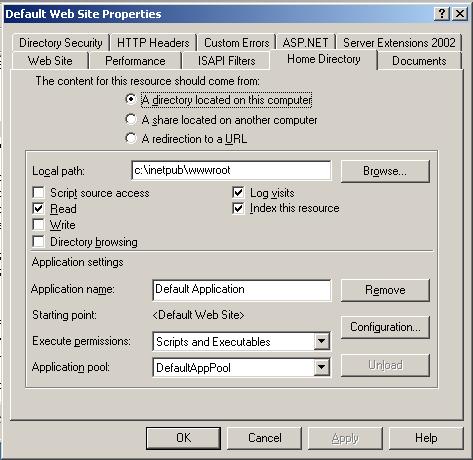
Open "Configuration"
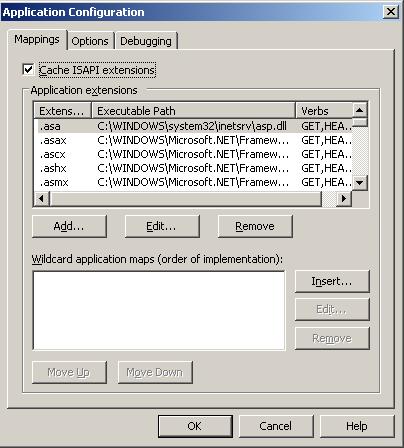
and click "Add"
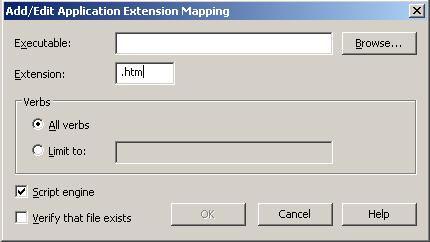
Enter desired extension name including leading dot (.).
Uncheck "Verify that file exists" checkbox and browse to "Executable" C:\WINDOWS\Microsoft.NET\Framework\v2.0.50727\aspnet_isapi.dll
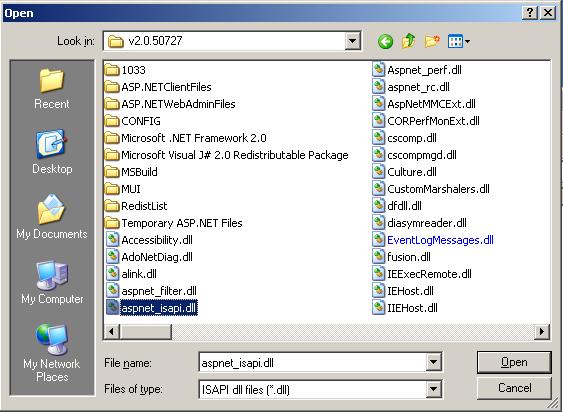
Save the setting and exit IIS Manager.
| 8. | Make a new Tab (named "404" or "error" or whatever else you want and set permissions to View --> All Users, |
| 9. | Configure "Custom Errors" in Internet Information Services (IIS) |
Go to IIS Manager --> website ---> Properties ---> Custom Errors and scroll down to 404 error
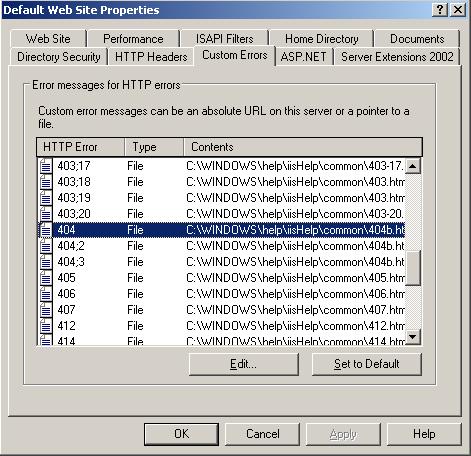
Click "Edit" and change the "Message type" to URL.
Enter URL as /pagename.ext (in our example it would be /404.htm).
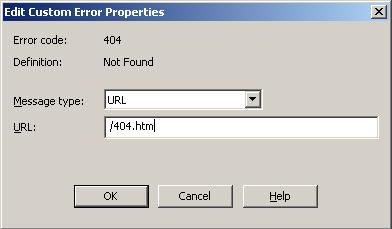
Click OK to save and repeat for other 404 errors.
| 10. | Add DNNMasters SEO Pack w/Ajax module to tab, |